Comprendere DS4Windows Profili
DS4Windows Profili are Configurazione files that store all your Controller Impostazioni, button mappings, and Personalizzazione Opzioni. By creating game-specific Profili, you can Ottimizza your Controller for different Gaming experiences without manually adjusting Impostazioni each time you switch Giochi.
Why Usare Game-Specific Profili?
Different Giochi require different Controller configurations for optimal Prestazioni:
- FPS Giochi: Require precise analog stick sensitivity and trigger response
- Racing Giochi: Need optimized trigger curves for acceleration and braking
- Fighting Giochi: Benefit from Specifico button layouts and Macro assignments
- RPG Giochi: May need custom button mappings for inventory and menus
- Platformers: Require different jump and movement sensitivity
Creating Your First Profilo
Let's start by creating a basic Profilo and then Personalizza it for a Specifico Gioco:
Step 1: Access Profilo Manager
- Open DS4Windows
- Click on the "Profili" tab
- Select "New Profilo" from the dropdown menu
- Give your Profilo a descriptive name (e.g., "Call of Duty - FPS")
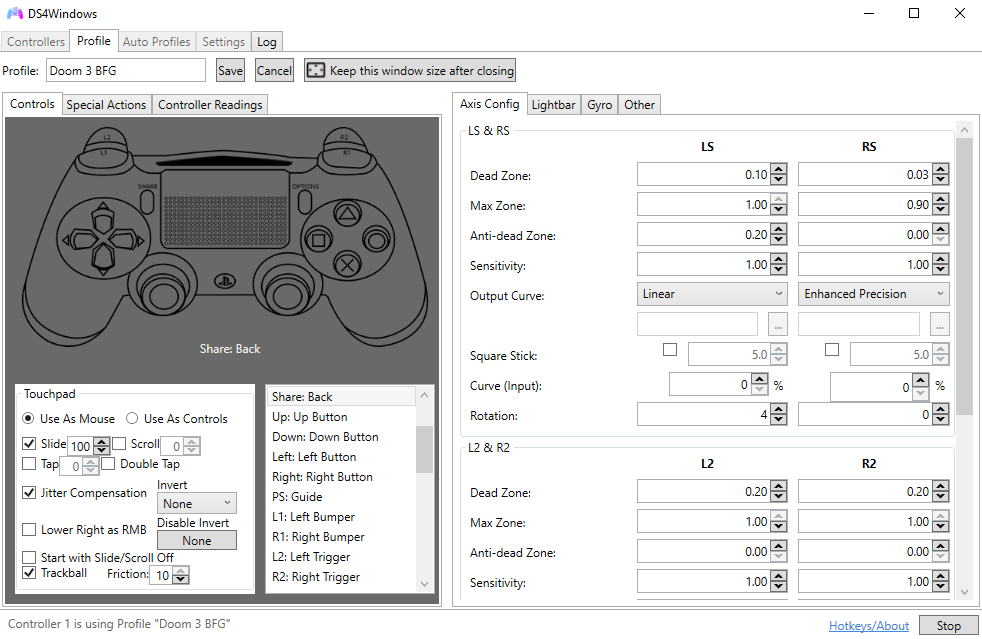
Step 2: Basic Profilo Configurazione
Configure the fundamental Impostazioni for your Profilo:
Essential Impostazioni
- Profilo Name: Descriptive and memorable
- Controller Type: DualShock 4
- Connessione Type: USB/Bluetooth
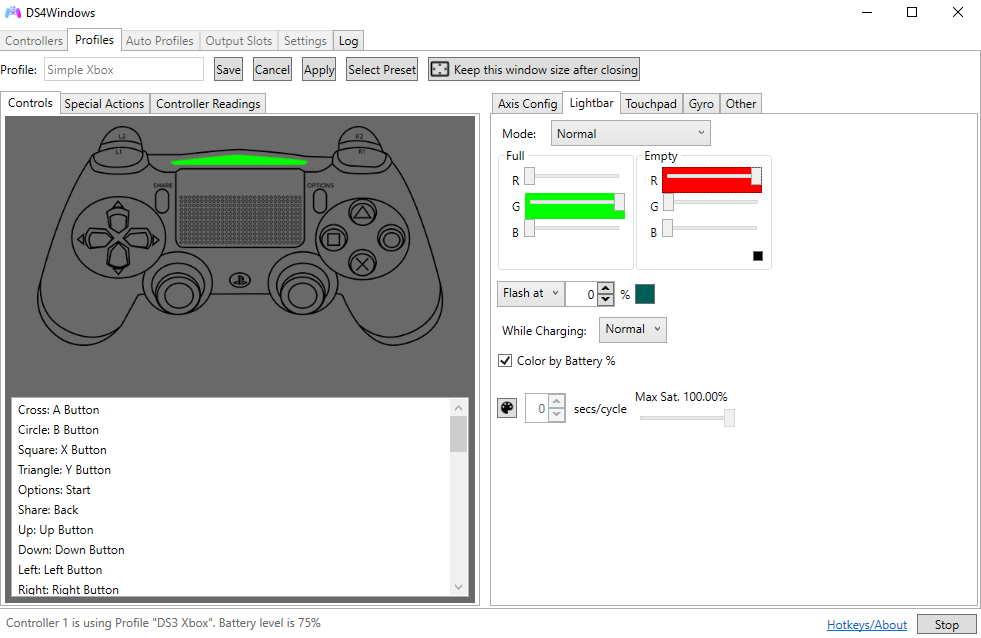
- Luce Barra: Game-appropriate colors
- Rumble: Intensity and frequency
Avanzato Profilo Personalizzazione
Personalizza your Profilo with Avanzato Impostazioni for optimal Gaming Prestazioni:
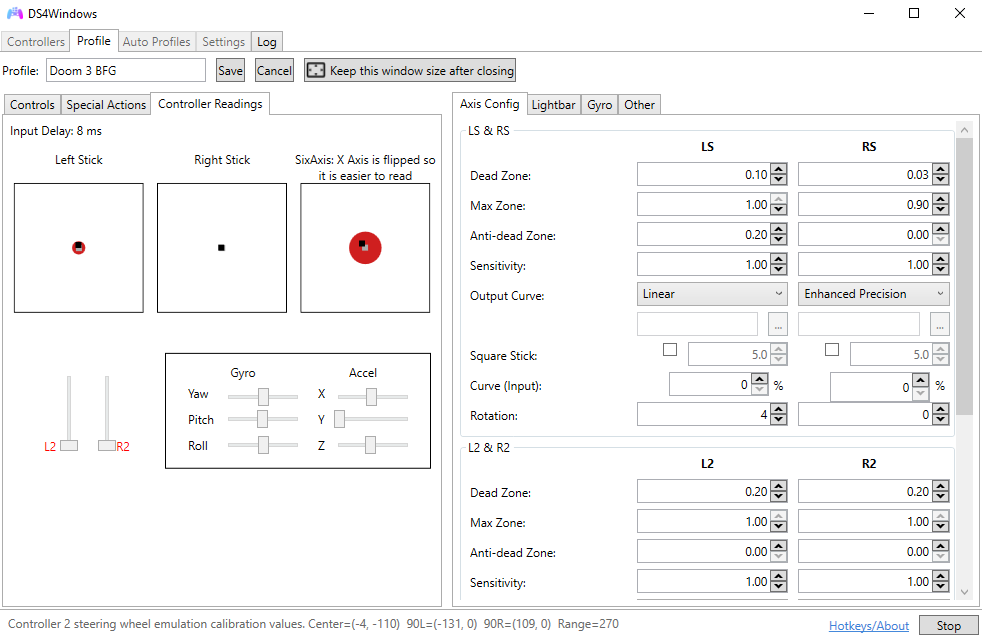
Analog Stick Configurazione
Fine-tune analog stick sensitivity and dead zones:
- Dead Zone: Minimum movement required to register Input
- Anti-Dead Zone: Compensates for stick wear
- Sensitivity: Overall stick responsiveness
- Curve: Linear, exponential, or custom response curves
Trigger Configurazione
Ottimizza trigger response for different Gioco types:
- FPS Giochi: Hair-trigger response for quick shooting
- Racing Giochi: Gradual response for smooth acceleration
- Action Giochi: Balanced response for versatility
Setting Up Automatic Profilo Switching
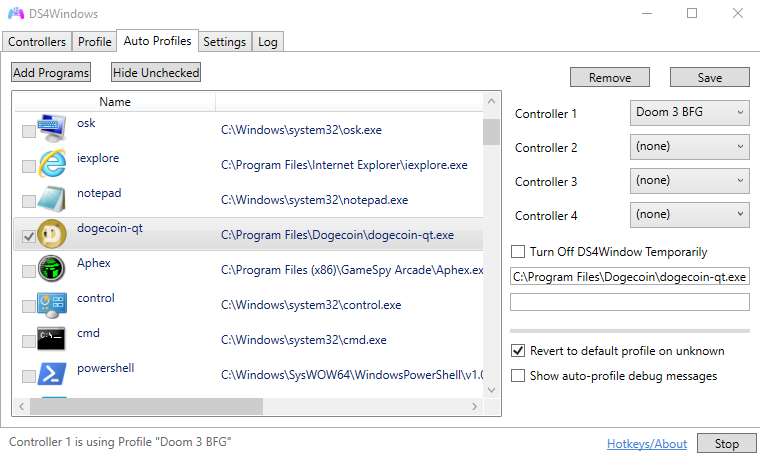
DS4Windows can automatically switch Profili Quando you launch Specifico Giochi:
Auto-Profile Configurazione
- Go to the "Automatico Profili" tab in DS4Windows
- Click "Add" to create a new auto-profile rule
- Select the executable file of your Gioco
- Choose the Profilo to load Quando the Gioco starts
- Set the Profilo to revert Quando the Gioco closes
Avanzato Auto-Profile Rules
Create more sophisticated switching rules:
- Window Title Matching: Switch based on window title
- Process Name Matching: Switch based on process name
- Multiple Conditions: Combine multiple criteria
- Priority System: Set rule priority for conflicts
Game-Specific Profilo Examples
Here are detailed examples for popular Gioco genres:
FPS Giochi (Call of Duty, Battlefield)
FPS Profilo Impostazioni
- Right Stick Sensitivity: 1.2x for precise aiming
- Left Stick Sensitivity: 1.0x for normal movement
- Trigger Response: Hair-trigger for quick shooting
- Luce Barra: Red for enemy detection, green for health
- Rumble: Reduced intensity to avoid distraction
- Dead Zones: Minimal for maximum precision
Racing Giochi (Forza, Gran Turismo)
Racing Profilo Impostazioni
- Right Trigger: Gradual curve for smooth acceleration
- Left Trigger: Gradual curve for smooth braking
- Left Stick: High sensitivity for quick steering
- Luce Barra: Blue for normal speed, white for boost
- Rumble: Enhanced for road feedback
- Button Mapping: Custom for racing controls
Fighting Giochi (Street Fighter, Tekken)
Fighting Profilo Impostazioni
- D-Pad Sensitivity: High for precise inputs
- Button Response: Instant for combo execution
- Macro Assignments: Complex move combinations
- Luce Barra: Dynamic colors for special moves
- Rumble: Disabled to avoid Input interference
- Dead Zones: Minimal for precise control
Profilo Gestione Migliore Practices
Follow these Suggerimenti for effective Profilo Gestione:
Organization Suggerimenti
- Naming Convention: Usare consistent naming (Gioco - Genre)
- Backup Profili: Regularly backup your Profilo folder
- Version Control: Keep track of Profilo versions
- Documentation: Note special Impostazioni and their purposes
Sharing and Comunità
- Profilo Sharing: Share Profili with the Comunità
- Comunità Profili: Download Profili from other users
- Feedback: Get feedback on your Profilo configurations
- Updates: Keep Profili updated with Gioco patches
Risoluzione problemi Profilo Problemi
Common problems and their Soluzioni:
Profilo Not Loading
- Check Profilo file integrity
- Verify Profilo is in the correct folder
- Restart DS4Windows
- Check for conflicting Profili
Auto-Profile Not Switching
- Verify Gioco executable path
- Check auto-profile rule priority
- Ensure Gioco is running as expected
- Test with manual Profilo switching
Avanzato Profilo Funzionalità
Explore Avanzato Funzionalità for Energia users:
Macro Integrazione
- Complex Combos: Create multi-button sequences
- Timing Control: Precise timing for Macro execution
- Conditional Macro: Macro that respond to Gioco state
- Loop Macro: Repeating actions for farming/grinding
Sensor Integrazione
- Giroscopio: Motion controls for Specifico Giochi
- Accelerometer: Tilt controls and gestures
- Touchpad: Custom touchpad mappings
- Sixaxis: Avanzato motion sensing
Profilo Prestazioni Ottimizzazione
Ottimizza your Profili for the Migliore Prestazioni:
- Minimal Overhead: Usare only necessary Funzionalità
- Efficient Macro: Ottimizza Macro timing and complexity
- Smart Switching: Usare auto-profiles to reduce manual switching
- Regular Cleanup: Remove unused Profili and Impostazioni
Conclusion
Game-specific Profili are the Principali to unlocking the full potential of your DualShock 4 Controller. By creating tailored configurations for different Giochi and genres, you can achieve optimal Prestazioni and enhance your Gaming experience significantly.
Start with basic Profili and gradually add complexity as you become more comfortable with DS4Windows' Avanzato Funzionalità. The time invested in creating quality Profili will pay dividends in improved gameplay and Controller responsiveness.